Trick or Treat: Mastering the Playful Font for Flawless Halloween and Autumn Designs
The arrival of autumn brings a familiar creative urge to capture the whimsy, spookiness, and festive spirit of the season. For designers, crafters, and small business owners, this often means searching for the perfect typography to set the mood. Among the sea of options, the Trick or Treat font stands out as a vibrant, eye-catching choice. Its playful, slightly eerie characters are perfect for evoking the fun of Halloween, but like any specialized design asset, using it effectively requires more than just a quick download. Understanding its nuances is key to avoiding common pitfalls that can undermine your project's professionalism and impact.
At its core, Trick or Treat is a decorative typeface designed to inject personality and thematic energy into a project. Its appeal is broad, attracting everyone from parents creating party invitations to marketers designing seasonal social media graphics. The font’s strength lies in its ability to immediately communicate a specific tone—fun, spooky, celebratory—that more neutral fonts cannot. However, this very strength is also its greatest challenge. A frequent mistake is applying it indiscriminately, using it for body text or in contexts where its detailed letterforms become illegible, especially at smaller sizes. This can turn a charming design into a frustrating one, where the message is lost in the style.
Navigating the Color vs. Black Font Conundrum
One of the most critical and overlooked details when working with Trick or Treat (and many other novelty fonts) is the distinction between its black and color versions. The black version is a standard vector outline font. Its key compatibility advantage is that it works seamlessly with popular cutting machines like Cricut and Silhouette. If your primary goal is to create cut files for vinyl decals, paper crafts, or stencils, the black version is your essential tool. Trying to use the color version for these applications will lead to immediate failure, as the complex, multi-colored fills are not recognized by the cutting software's basic font interpreter.
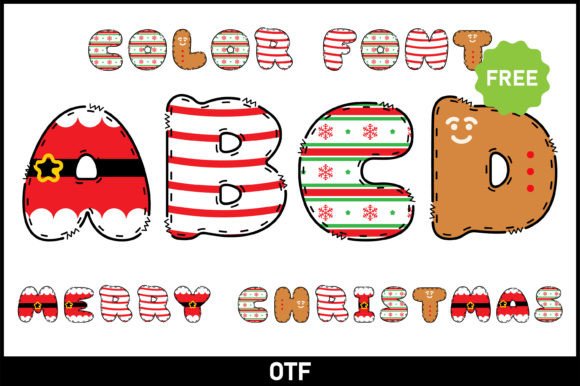
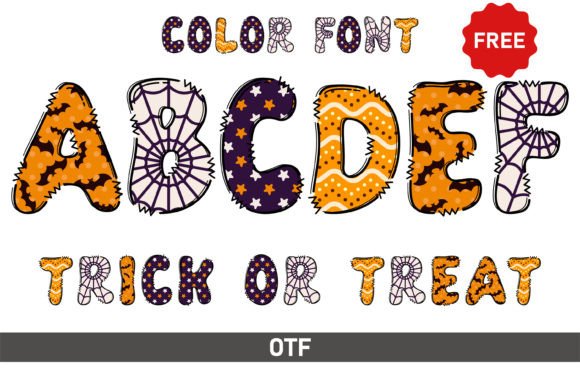
The color version of Trick or Treat is a different beast altogether. It is often an OpenType SVG font, which embeds bitmap or vector color data directly into the font file. This allows for stunning, multi-hued, textured effects right out of the box—think candy corn stripes or spooky glow effects. However, its compatibility is severely limited. As noted, it only works in advanced design programs that support this newer font technology, such as Adobe Photoshop, Illustrator, Affinity Designer, and Inkscape. The critical mistake many make is purchasing or downloading the color version without checking their software. Attempting to install and use an OTF color font in a basic word processor or an older design program will result in either a blank character or a solid black fallback, completely negating its purpose and wasting your time and money.
Practical Application: Beyond the Download
Avoiding these compatibility issues is straightforward with a little foresight. Before you even search for Trick or Treat, define your project's end goal. Ask yourself: "Will this be printed on a physical product using a cutting machine, or will it be a digital-only asset like a website banner or social media post?" This single question will guide you to the correct font version. For crafters using Cricut Design Space or Silhouette Studio, the black version is non-negotiable. For digital designers creating in Photoshop, the color version can offer a breathtaking shortcut to a polished look.
Another common oversight is neglecting licensing. Many Trick or Treat fonts are free for personal use but require a commercial license for any project that generates revenue, whether it's selling handmade cards, using the font in a client's logo, or incorporating it into a product for sale on Etsy. Failing to check the license is a legal risk that can lead to costly repercussions down the line. Always read the accompanying text file or the download page description carefully. Reputable font marketplaces and designers are clear about their terms; it is your responsibility to adhere to them.
Strategic Pairing and Readability
Even with the correct file and proper licensing, a Trick or Treat design can fall flat without thoughtful composition. The font is inherently high-impact and low-readability for long passages. A better approach is to use it strategically as a headline or accent. Pair it with a clean, simple sans-serif font like Open Sans or Lato for any supporting text. This contrast ensures your key message—the festive "Trick or Treat!"—is visually dominant and exciting, while the necessary details (date, time, location, product description) remain crystal clear.
Consider a practical example: a Halloween party invitation. A poor design might use Trick or Treat for every line of text, making the address and RSVP information nearly impossible to decipher. A superior design would use the font for the headline "You're Invited to a Spooky Soiree!" and then switch to a legible font for the party details. This approach maintains the festive atmosphere without sacrificing function. For educators creating classroom materials or bloggers designing festive pins, this principle of hierarchy and contrast is what separates amateurish clutter from professional, engaging design.
Final Checks Before You Create
Before committing to Trick or Treat for your project, run through this quick checklist to ensure a smooth and successful design process:
- Define Your Medium: Will this be cut out or screen-printed? Use the black version. Is it for a digital screen? The color version might be viable if your software supports it.
- Verify Software Compatibility: If you want the color effect, confirm your design program (e.g., Photoshop CC 2017+, Illustrator CC 2018+) explicitly supports OpenType SVG fonts. Don't assume.
- Understand the License: Is your project personal or commercial? Download or purchase the appropriate license to avoid legal issues.
- Test at Size: Type out your intended phrase and view it at the size it will be used. If any letters blend together or become unreadable, adjust your wording or consider a different, simpler font for that specific element.
- Plan Your Font Pairing: Select a complementary, highly readable font for body text before you start designing. This will keep your layout balanced and effective.
By approaching Trick or Treat not just as a decorative element but as a specialized tool with specific requirements, you unlock its full potential. You move from simply placing letters on a page to crafting a cohesive, professional, and truly engaging seasonal design that delights your audience and achieves your communication goals without a hitch. The right preparation ensures your project is all treat, no trick.